Proxet Styleguide:
Colors & Fonts
Brand Colors
Proxet brand identity offers a minimalistic color palette, with the dominant use of white or gray backgrounds (70%), black (text, buttons - 25%), and brand colors (5%).
Cosmic Plum
Main brand color. Links, highlights, interactive elements etc.
HEX CODE
pantone
Crimson Pulse
Start color of our brand gradient.
HEX CODE
pantone
Space Lavender
End color of our brand gradient.
HEX CODE
pantone
Text Primary
Headers, buttons and other high contrast elements.
HEX CODE
Text Secondary
Regular text paragraphs.
HEX CODE
pantone
Text Tertiary
Labels and subtitles.
HEX CODE
pantone
Aluminium Gray
Borders/outlines, disabled items, subtle decorations.
HEX CODE
pantone
Brand Gradient
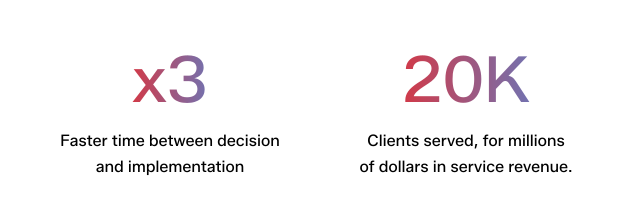
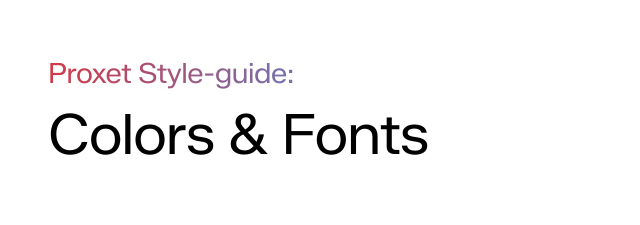
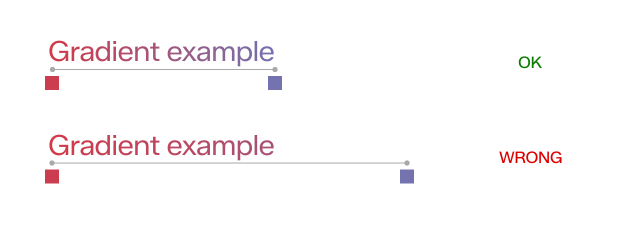
Proxet brand gradient, which we use on the logo, should be used only for highlighted text/font and some subtitles, such as the website homepage and the first sections of the presentation, highlighted numbers, and small titles before large titles.
Note: This gradient should not be used everywhere; otherwise, the design will lose its restraint and minimalism.
HEX CODE
HEX CODE
Colors for physycal assets
Use the provided Pantone color code for physical assets, or ask our designers if you need a different color for specific needs.
Primary Font
Our primary typeface is Zalando Sans. We are using it for titles and body text. This font is from the Google Fonts collection, so it's free to use, and this font is available across Google Docs, Slides, etc.
For titles, we should use the Semi Expanded variation of this font or font-width: 105 where possible to set the variable font value.

Alternative Fonts
Our primary font does not support cyrillic alphabet, so if you want to use the cyrillic alphabet, use another Google Font - Manrope.
If the environment does not support any custom fonts, use Arial.
How to use these fonts?
To use these fonts in Google services, you just need to add them through font selection. You don't have to download and install anything on your computer. Also, these fonts will be saved in your account, and next time you will not have to add them.
Step 1
Open any Google Doc or Slide and go to font selection dropdown.

Step 2
Search for Zalando Sans and select Zalando Sans and Zalando Sans Semiexpanded. Then press Done.

Typography Rules
Titles
Should be minimum 400 for largest titles, and 450 for small ones (below 18px).
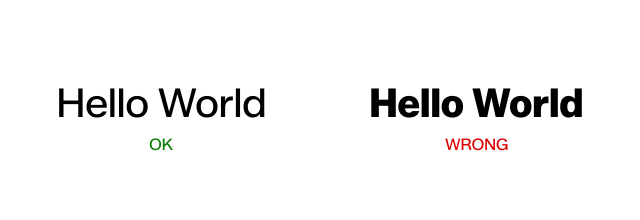
Do not use UPPERCASE for the titles. Uppercase can be used as a small subtitle, but not as main herading.
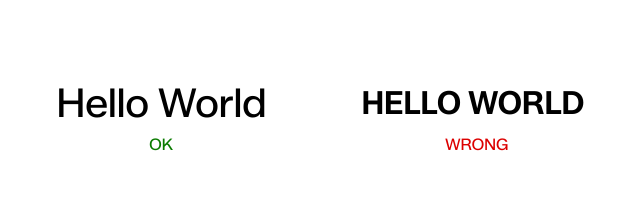
Uppercase can be used as a small subtitle (avg. 3x less size than title), but not as main heading.